Follow the guide below to learn how to choose the optimal attack types to unlock encrypted Office files with this software.
Step 1: Import Encrypted Office File
Launch PassFab for Office after installation. Then, click "Add" button to import the encrypted Office file you need to decrypt.

Step 2: Select Appropriate Attack Type
Something help you to choose an appropriate attack type:
Dictionary Attack: If you have a dictionary that is a text file listing common character combinations that you may frequently use for passwords. Click "Settings" >> "Add Dictionary" to quickly find the password from inbuilt or customized dictionary.
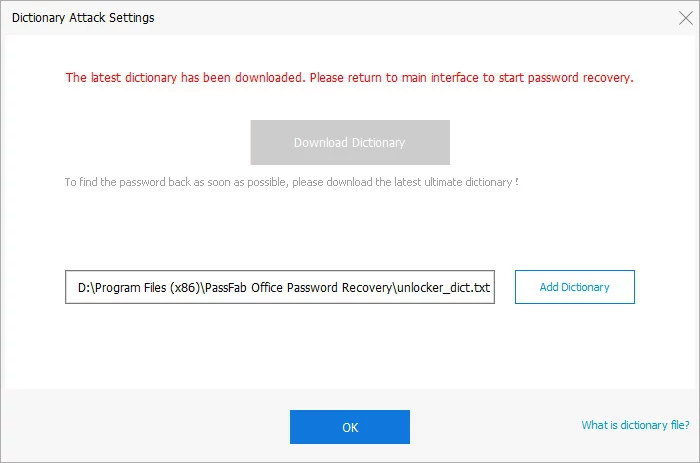
Note: Sometimes there is a pop-up window showing upgrading the dictionary library. This step is necessary and will take a while.

Brute Force with Mask Attack: If you can provide any clue about the forgotten password. Later click "Settings" to define the settings by yourself according to the possible clues about the password you could remember.

Brute Force Attack: If you can't remember anything about your password at all, you are recommended to select this type. It will try all possible combinations by default, so no need to define any setting.
Step 3: Start to Recover Office Password
Now hit "Start" button to start Passfab for Office. After the progress completed, just close the box and exit the program, then use this password to access to the target or locked Office file.

